Status pages that update when your monitors fail

Link each component to an uptime monitor. When its checks fail, the page on your own domain shows the outage. Post updates from the dashboard, the API or an AI agent, and customers follow along by RSS or in Slack.

The surface

What your customers see

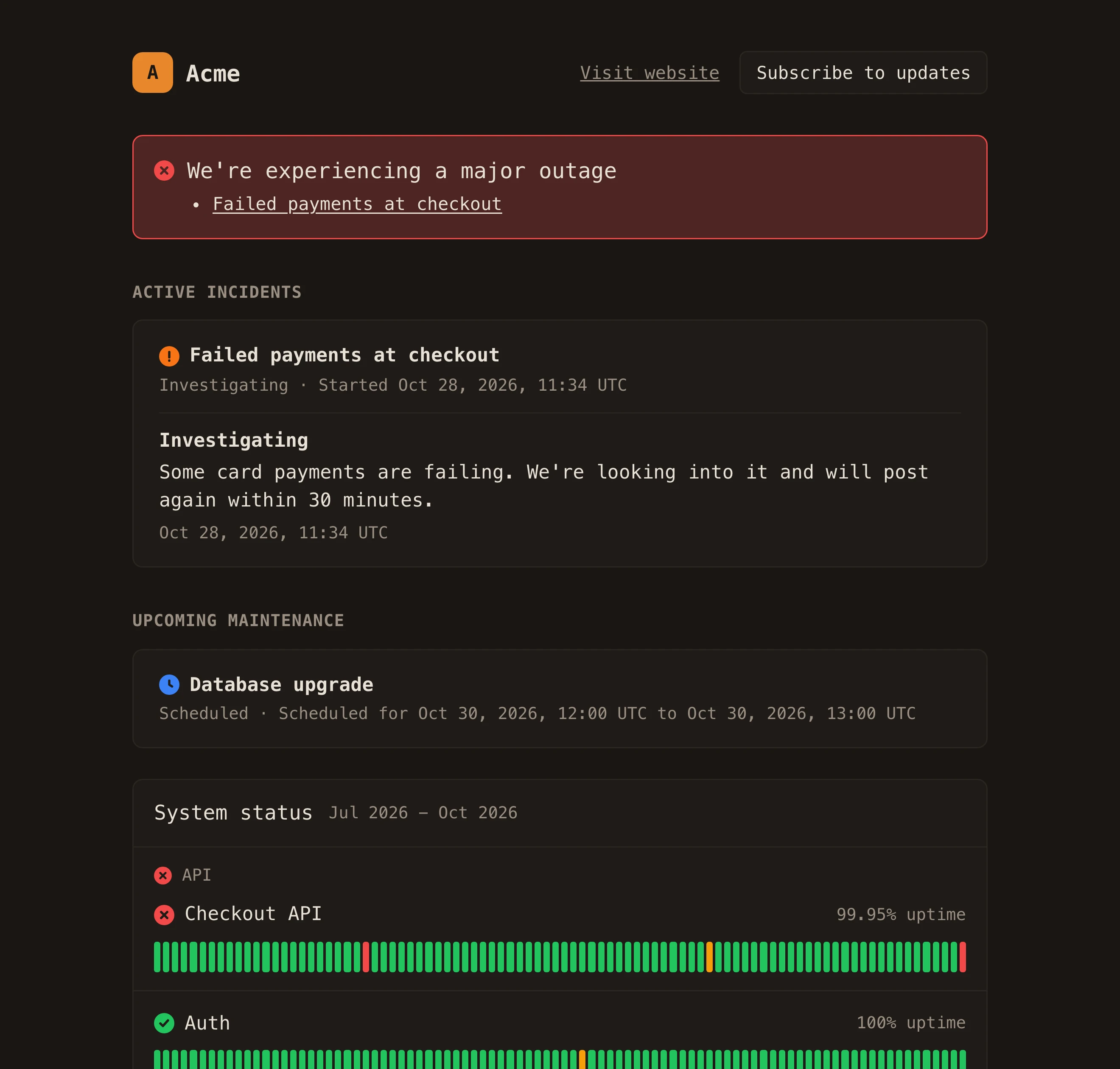
Current status, open incidents, planned maintenance and 90 days of uptime per component. The page runs separately from the rest of Maple and keeps showing its last published state even if our dashboard is down. It works without JavaScript.

A published status page mid-incident: a major outage banner, the open incident, upcoming maintenance and 90-day uptime bars
status.acme.com theme maple
status
operational · degraded · partial_outage · major_outage · maintenance
incident
investigating → identified → monitoring → resolved
maintenance
scheduled → in_progress → completed
history
90 days per component
theme
default · maple · mono · midnight · paper
feeds
rss · atom · status.json · badge.svg

In motion

When a monitor fails, the page shows it

A monitor counts as down after two failed checks in a row, or anywhere from one to ten if you change it. It can also open an incident for you, published right away or saved as a draft until someone reads it.

status.acme.com DEMO

A demo of the Acme status page: all systems operational, then a major outage of Checkout API with an open incident.

status from monitor checkout-api

More screens

Status Pages, screen by screen

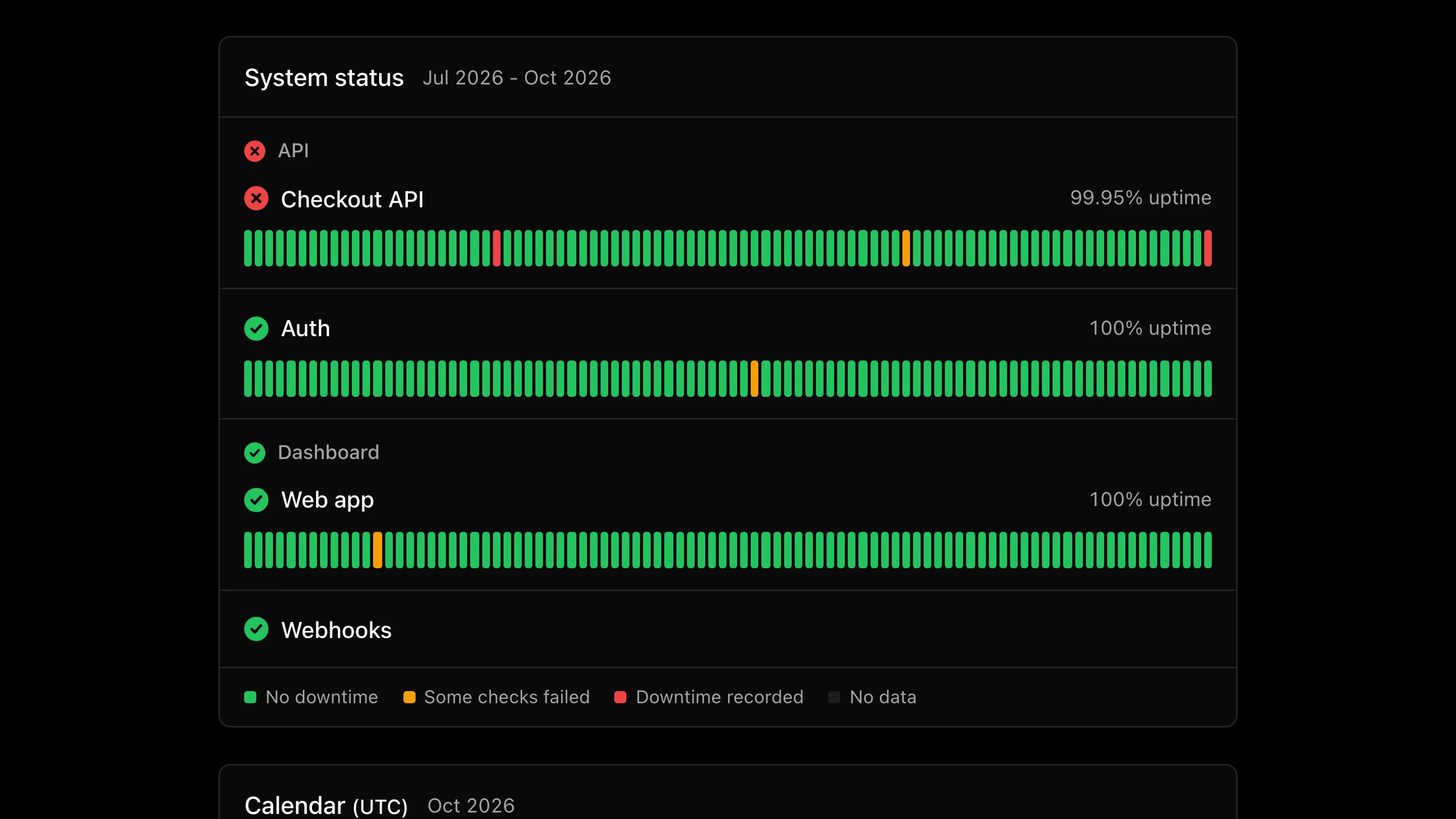
status.acme.com 90 days per component
System status with a 90-day bar per component, the days with failed checks or downtime marked, above the incident calendar
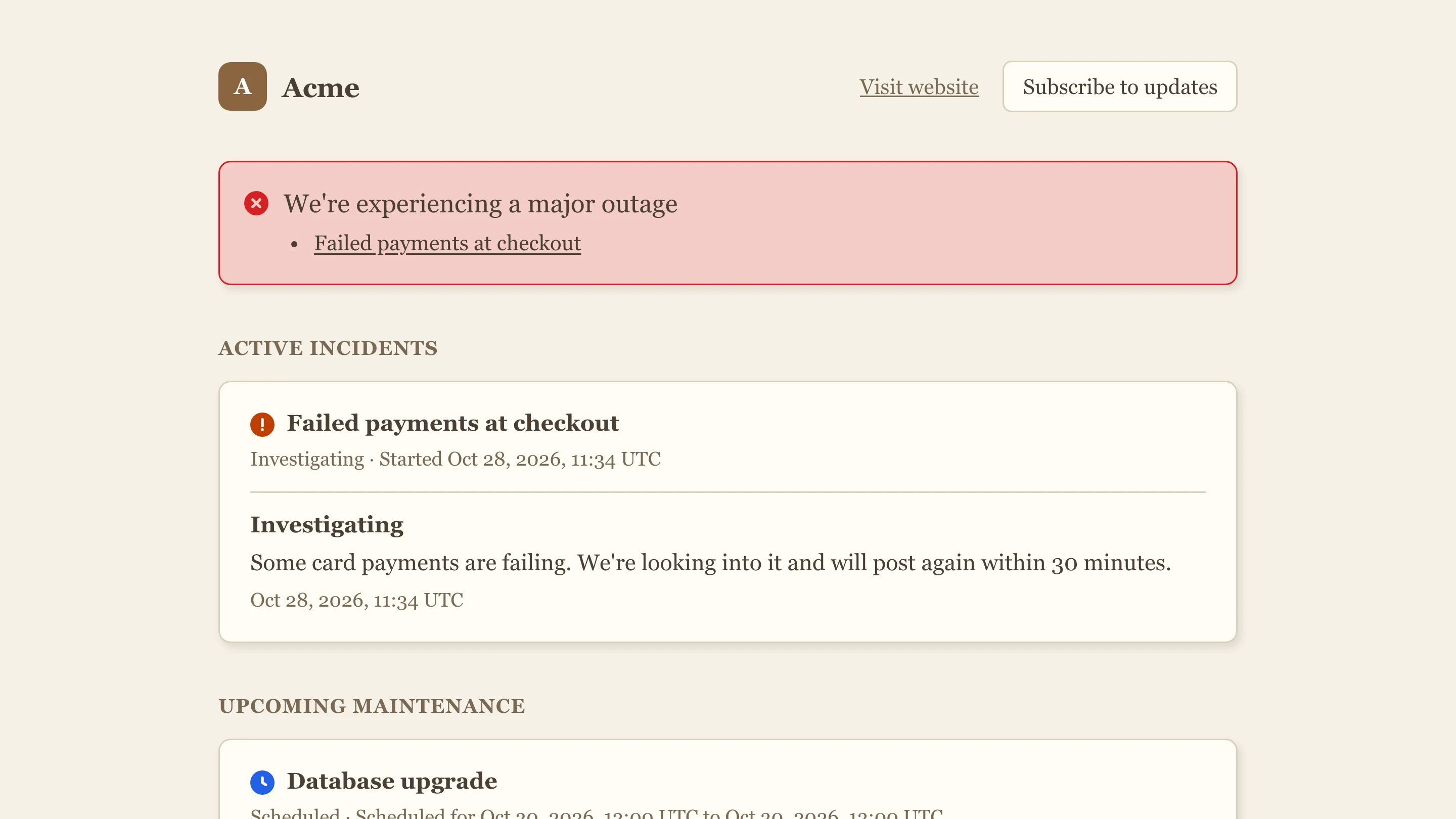
status.acme.com The same page in the paper theme
The status page in the light paper theme with a serif font, showing the major outage banner and the open incident
GET /api/v1/status.json 200
{
  "page": {
    "id": "0b4c9b8e-6f2a-4d1e-9a5b-2f6c8d7e1a01",
    "name": "Acme",
    "url": "https://acme.example",
    "status_url": "https://status.acme.com",
    "time_zone": "Etc/UTC",
    "updated_at": "2026-10-28T11:59:00.000Z"
  },
  "status": {
    "indicator": "critical",
    "description": "Major System Outage",
    "delayed": false
  },
  "components": [
    {
      "id": "1c4c9b8e-6f2a-4d1e-9a5b-2f6c8d7e1a01",
      "name": "Checkout API",
      "description": null,
      "group": "API",
      "status": "major_outage"
    },
    {
      "id": "1c4c9b8e-6f2a-4d1e-9a5b-2f6c8d7e1a02",
      "name": "Auth",
      "description": null,
      "group": "API",
      "status": "operational"
    },
    {
      "id": "1c4c9b8e-6f2a-4d1e-9a5b-2f6c8d7e1a03",
      "name": "Web app",
      "description": null,
      "group": "Dashboard",
      "status": "operational"
    },
    {
      "id": "1c4c9b8e-6f2a-4d1e-9a5b-2f6c8d7e1a04",
      "name": "Webhooks",
      "description": null,
      "group": "Dashboard",
      "status": "operational"
    }
  ],
  "incidents": [
    {
      "id": "2c4c9b8e-6f2a-4d1e-9a5b-2f6c8d7e1a01",
      "name": "Failed payments at checkout",
      "status": "investigating",
      "impact": "major",
      "created_at": "2026-10-28T11:34:00.000Z",
      "started_at": "2026-10-28T11:34:00.000Z",
      "updated_at": "2026-10-28T11:34:00.000Z",
      "resolved_at": null,
      "component_ids": [
        "1c4c9b8e-6f2a-4d1e-9a5b-2f6c8d7e1a01"
      ],
      "incident_updates": [
        {
          "id": "3c4c9b8e-6f2a-4d1e-9a5b-2f6c8d7e1a01",
          "status": "investigating",
          "body": "Some card payments are failing. We're looking into it and will post again within 30 minutes.",
          "created_at": "2026-10-28T11:34:00.000Z"
        }
      ]
    }
  ],
  "scheduled_maintenances": [
    {
      "id": "2c4c9b8e-6f2a-4d1e-9a5b-2f6c8d7e1a02",
      "name": "Database upgrade",
      "status": "scheduled",
      "impact": "minor",
      "created_at": "2026-10-30T12:00:00.000Z",
      "started_at": "2026-10-30T12:00:00.000Z",
      "updated_at": "2026-10-30T12:00:00.000Z",
      "resolved_at": null,
      "component_ids": [],
      "incident_updates": [],
      "scheduled_for": "2026-10-30T12:00:00.000Z",
      "scheduled_until": "2026-10-30T13:00:00.000Z"
    }
  ],
  "updated_at": "2026-10-28T11:59:00.000Z"
}
/feed.rss RSS
/feed.atom Atom
/badge.svg badge
/feed subscribe https://status.acme.com/feed.rss slack

Subscriptions and API

Follow along from Slack, a feed reader or a script

Every public page has RSS and Atom feeds, a status badge, and a status.json in the statuspage.io summary format, so tools that already read statuspage.io pages can read yours.

Slack and feed readers
The page's Subscribe button lists the feed links and the Slack command, /feed subscribe, that posts each update to a channel.
status.json
Overall status, every component, open incidents and planned maintenance in one request. Uptime history is available as JSON too.
A badge for your README
badge.svg shows the current status in a README, docs site or app footer.

What it does

What every page includes

CNAME
Your own domain
Point a CNAME such as status.acme.com at Maple. The certificate is issued and renewed automatically.
group
Grouped components
Group components the way customers see your product, such as API and Dashboard, and choose which ones show 90 days of uptime bars.
write / review
Review before you publish
Preview exactly what visitors will see, then publish. Incidents move through Investigating, Identified, Monitoring and Resolved.
maintenance
Scheduled maintenance
Announce a window ahead of time. It switches to In progress when the window starts and to Completed when it ends, with an update posted each time.
theme
Your branding
Add your logo and colours, pick light or dark, and watch the page change in the editor as you go.
password · internal
Private pages
Protect a page with a password, or make it internal so only members of your Maple organization can open it.
break glass
Post when Maple is down
Each page has a break-glass link to a form on the hosted page itself. Open an incident or post an update even if the Maple dashboard is unreachable.
post_status_page_update()
Run it from the API or an AI agent
Pages, components and incidents are all in API v2. Over MCP, an agent sets up a page with apply_status_page_config and posts updates with post_status_page_update.

On the plan

Price, retention and setup

plan
Startup, $39/month, with a 14-day free trial. Every feature is on.
billed as
No separate meter. It is part of the plan.

In production: Superwall sends Maple more than 80 billion traces, logs and metrics a month, about 18 TB, with nothing sampled out. Read the Superwall story

Keep going

Related features

Point OTLP at Maple.

One endpoint, one key. Traces, logs, metrics and sessions, linked from the first request.